Quick summary:
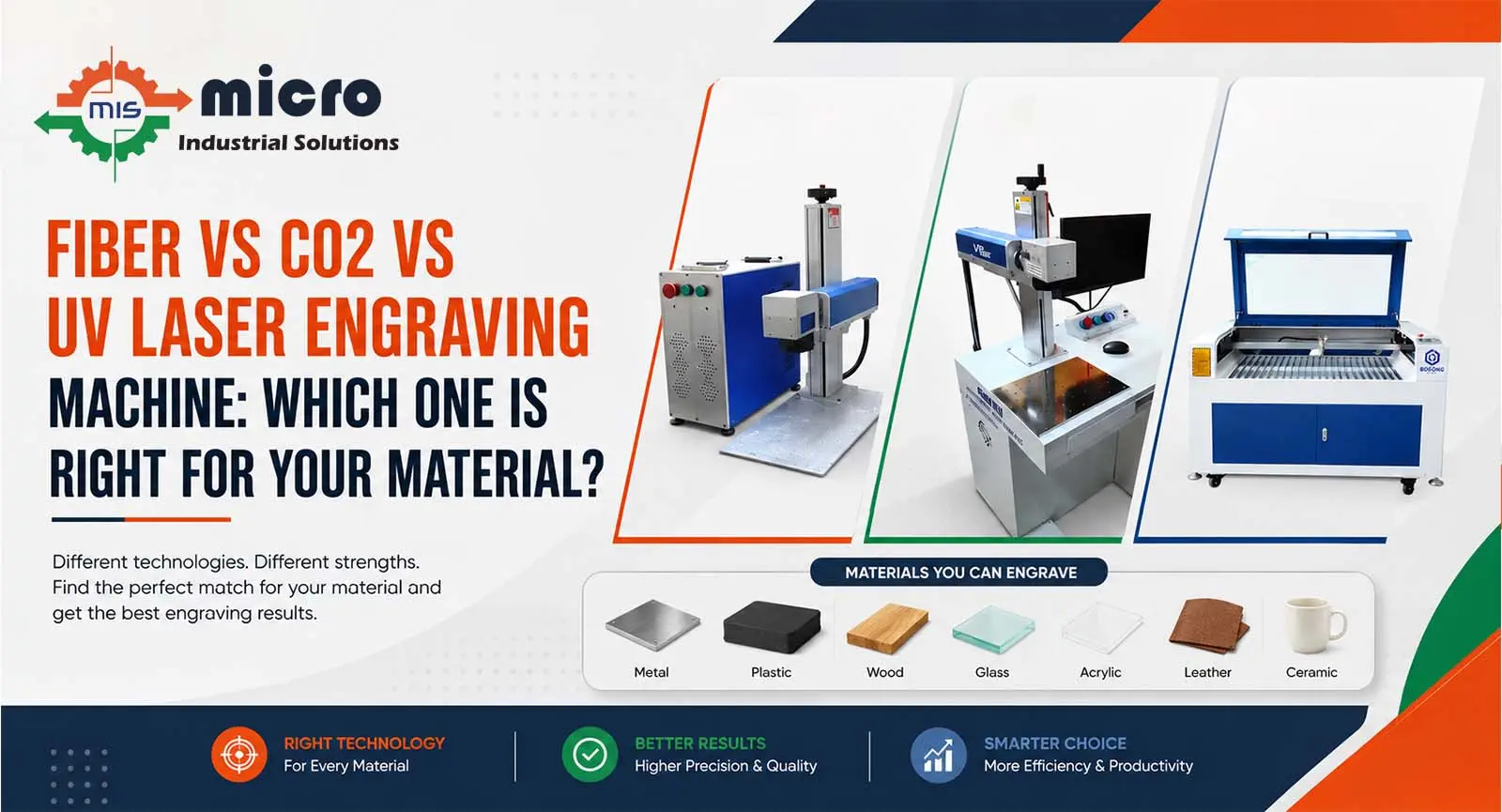
This article helps B2B buyers choose the right Laser Engraving Machine by comparing fiber, CO2, and UV laser types. It covers material compatibility, mark quality, speed, operating cost, and use cases so you can match a laser to your production goals and budget.
Table of contents
Introduction
Choosing the right Laser Engraving Machine shapes your production speed, part quality, and long‑term cost. Different lasers work differently on materials, and a mismatch can lead to faint marks, surface damage, or unnecessary downtime. This article compares the three most common engraving lasers, fiber, CO2, and UV, so you can decide which system fits your parts and workflow. This article explains how each laser interacts with substrates, the tradeoffs in speed and operating cost, and examples from metal workshops, medical device makers, and signage producers. Whether you mark serial numbers on stainless parts, engrave logos on acrylic panels, or micro‑mark delicate coatings, you’ll get clear, practical advice to make a confident B2B buying decision.
How Laser Types Differ?
Laser engraving machine type determines wavelength, beam delivery, and how energy couples into the material. Those factors decide which substrates can be engraved cleanly, the durability of the mark, and how fast you can run parts at scale.
What is a Fiber Laser?
- Wavelength: approximately 1,064 nm (near‑infrared).
- Uses a solid‑state fiber doped with rare‑earth elements.
- Best for high‑absorption metals and some plastics.
- Common strengths: Fast metal marking, long diode life, low maintenance, compact footprint.
- Typical output styles: Pulsed or continuous‑wave, depending on the model and application.
What is a CO2 Laser?
- Wavelength: Approximately 10,600 nm (far‑infrared).
- Gas tube laser engraving machine; well-suited to organic materials.
- Excels at cutting and engraving wood, leather, acrylic, glass (with coatings), and textiles.
- Generally, a lower initial cost for non‑metal work.
- Requires good fume extraction and periodic tube maintenance or replacement.
What is a UV Laser?
- Wavelength: approximately 355 nm (ultraviolet).
- Delivers very short photon wavelengths and often short pulse durations (picoseconds–nanoseconds) for minimal heat‑affected zones.
- Ideal for fine, high‑contrast marks on plastics, glass, and delicate coatings, and for micro‑machining.
- Used when precision and low thermal spread matter more than raw speed.
Material compatibility and quality
The right laser engraving machine depends on your material mix. Here’s a practical breakdown by substrate type and mark quality.
Metals
- Fiber laser: First choice for stainless steel, aluminum, brass, copper (with higher peak power or special settings). Produces dark annealed marks, engravings, and deep etches. High throughput for batch marking.
- CO2 laser: Poor direct absorption on most bare metals; typically requires marking spray (e.g., CerMark) or coated metals to get contrast.
- UV laser: Can mark metals, but is usually chosen for thin coatings or sensitive finishes where minimal heat is required.
Plastics and polymers
- CO2 laser: Excellent for many plastics (acrylic, MDF, leather), produces clean edges; avoid PVC due to toxic fumes.
- Fiber laser: A laser engraving machine can mark certain plastics, but may melt or burn if not tuned properly.
- UV laser: Superior for precision marking on polycarbonate, PET, ABS, and medical‑grade plastics with crisp, low‑heat marks and little discoloration.
Glass, ceramics, and stones
- CO2 laser: Good for engraving glass (textured, frosted effect) and ceramics when used at correct settings.
- UV laser: Produces high‑precision, fine marks on glass and ceramics with minimal cracking.
- Fiber laser: Generally not used for bare glass.
Composites, coatings, and thin films
- UV laser: Best for delicate coatings, thin films, and printed electronics because it removes or changes surface material with low thermal spread.
- Fiber laser: A laser engraving machine is effective for removing coatings on metals or for deeper engraving.
- CO2 laser: Works on some composites (wood‑based panels) but can delaminate others; test before production.
Productivity, cost, and maintenance
- Speed: Fiber is typically fastest for metals; CO2 is efficient for organic substrates; UV is slower but precise.
- Operating cost: Fiber lasers have lower maintenance and higher electrical efficiency. CO2 tubes may require periodic replacement and alignment. UV systems are higher in capital cost and maintenance, but enable specialised micro‑work.
- Lifetime: Fiber laser engraving machines often offer longer service life (diode pumped) and minimal alignment.
- Safety and ventilation: CO2 and some plastics need good fume extraction; UV lasers require more stringent eye/skin protection and containment.
Practical examples and application match
- Batch metal part marking (serial numbers, logos): Fiber laser, fast, durable marks, low operating cost.
- Acrylic signage and decorative panels: CO2 laser, clean edge cuts, and engraved frosted text.
- Medical device components and PCB marking: UV laser, precise micro‑marks, minimal thermal damage.
- Anodised aluminum with white marks: Fiber laser engraving machine with optimised settings for contrast.
- Glassware and awards: CO2 for frosted look; UV for fine‑detail etching without surface fractures.
Buying checklist for B2B buyers
- Define materials: List every substrate you will mark (metals, plastics, glass).
- Throughput needs: Parts per hour and duty cycle.
- Mark quality: Depth, contrast, or micro‑precision?
- Budget: CapEx vs operating cost; include ventilation and safety systems.
- Software and integration: Compatibility with your MES/ERP and file formats.
- Service and warranty: Local support, spare parts lead time.
- Compliance: Fume extraction, CE/IS standards, and laser safety (Class rating).
Conclusion
The right Laser Engraving Machine really depends on what you are working with, the look you need, and how fast you need to run parts. For high production and metals, fibre is the choice that works. CO2 delivers clean results on organics, acrylic, and signage. When you need fine detail, low heat, or marks on delicate coatings and plastics, UV is the smarter choice. Always test on real samples before you buy, and factor in service, safety, and long‑term running costs. If you want trusted advice, Micro Industrial Solutions can help you select and configure the best laser for your shop.
FAQs
I work with both metal and plastic in my facility. Do I need two separate laser engraving machines or can one handle both?
That depends on which materials dominate your production. If metal is your primary material with occasional plastic work, a Fiber laser handles metal well but will struggle on most plastics. If you genuinely run both materials at significant volume, it is worth talking to a supplier about a dual-source or hybrid setup. Buying one machine and forcing it to do a job it was not built for usually shows up in output quality within a few months.
We mark pharmaceutical packaging that cannot have any heat damage or discolouration. Which laser is safe for that?
UV laser is built specifically for this kind of application. The cold marking process generates almost no heat on the material surface, which is why it is widely used in pharma, food packaging, and medical device marking where heat damage is simply not acceptable. If your packaging is plastic, glass, or coated material and surface integrity is non-negotiable, UV is the only one of the three that reliably protects the material around the mark.
How do we actually figure out which laser engraving machine is right for us before spending money on the wrong machine?
Start with your material, not the machine. Write down every material you currently mark and every material you expect to mark in the next two to three years. Then match those materials to the laser type that handles them best. Fiber for metals, CO2 for non-metals and organics, UV for sensitive or high-precision surfaces. If your list has materials spread across all three categories, talk to a supplier who can show you sample marks on your actual material before you commit. That test mark step is something serious buyers always do and first-time buyers often skip.
Our production switches between different materials throughout the week. Is that a problem for any of these laser machines?
It is not a problem for the laser engraving machine itself, but it can be a problem for your output quality if you are using the wrong laser for a material. A Fiber laser switched to mark acrylic will not give you clean results. A CO2 laser running on aluminium will not mark it properly. If your production genuinely switches between metal and non-metal regularly, that is an important detail to raise with your supplier upfront so they can advise on the right configuration, or whether two machines are the more practical answer for your volume.
Micro Industrial Solutions
Micro Industrial Solutions is a well-known manufacturer of marking machines in India. Our company has been providing quality services to clients since 2014.